When submitting a filing, you can choose to add service of process to that order. Once the documents are returned from the court, One Legal will dispatch them to a member of our network of servers to be served on the party.
Filers can choose to review these returned documents to check or amend the documents before they are served.
Step 1: Place a filing order and add service
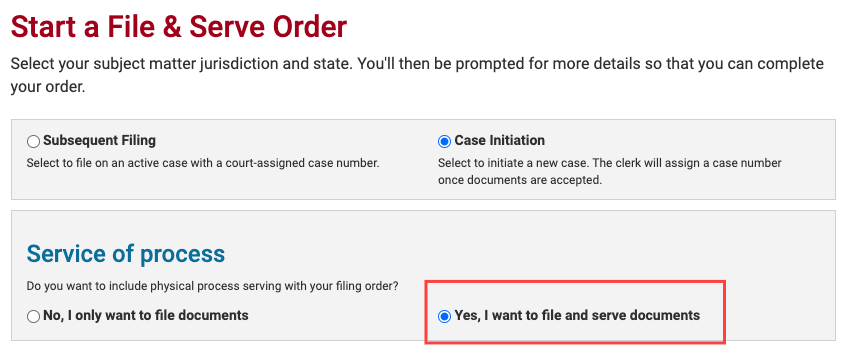
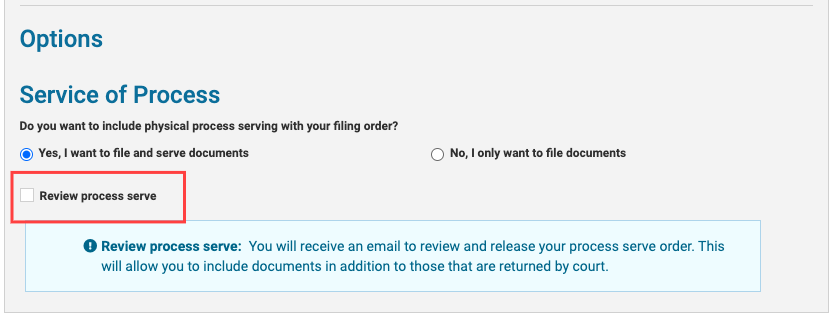
Step 2: Check the box for “Review process serve” in the eFiling workflow
Step 3: Submit your eFiling
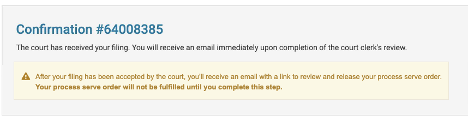
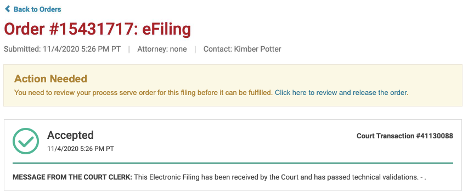
Step 4: Wait for an email notification confirming your documents have been accepted
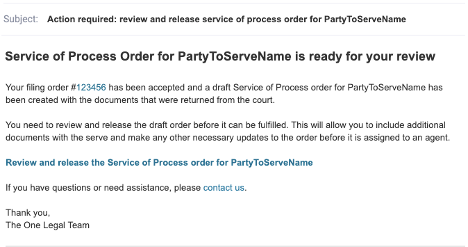
Step 5: Review, adjust if necessary, and release the Service of Process order
Your service of process order will then proceed in the usual way.
Your service of process order will remain on hold until you approve the documents. Your draft order will expire after one year.