
Adding or editing a credit card
You can update your payment method from the Billing Center section of your dashboard at any time.
Click on Account on the main menu and select Billing Center from the drop-down menu. Click on Payment methods to make changes to your credit cards.
Edit any card by clicking on the pencil icon and change details such as the name, card number, the expiration date, and the billing zip code. You can also add a descriptive "nickname" to a card to help you differentiate when selecting a specific payment method on individual transactions.
Note: A minimum of one credit card must be on file in order to process orders within the One Legal platform. You will not be able to remove the default credit card or the only credit card on file.
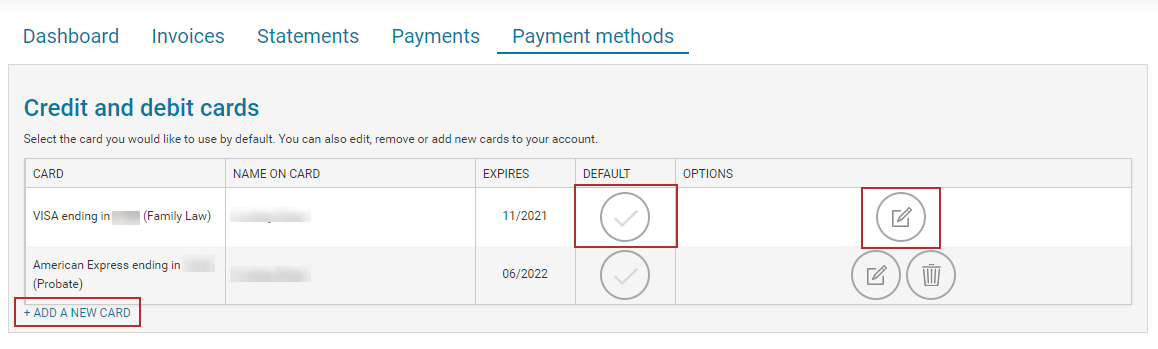
Click on the checkmark to make any card your default payment method. Then agree to the Terms of Service and Authorize to complete the process.
ACH transactions
Firm accounts are able to sign up for ACH payments. If you are interested in setting up an ACH account for payment processing, please refer to this support article.
Note: In order to use ACH as your primary payment method, you must have a credit card on file as a backup payment method.